
10-09-2026
Retail POS Software Saudi Arabia — Multi-Branch Chain POS with ZATCA Phase 2, Mada Integration, Salla/Zid Alternative, and Inventory Management for Saudi Retailers (2026)
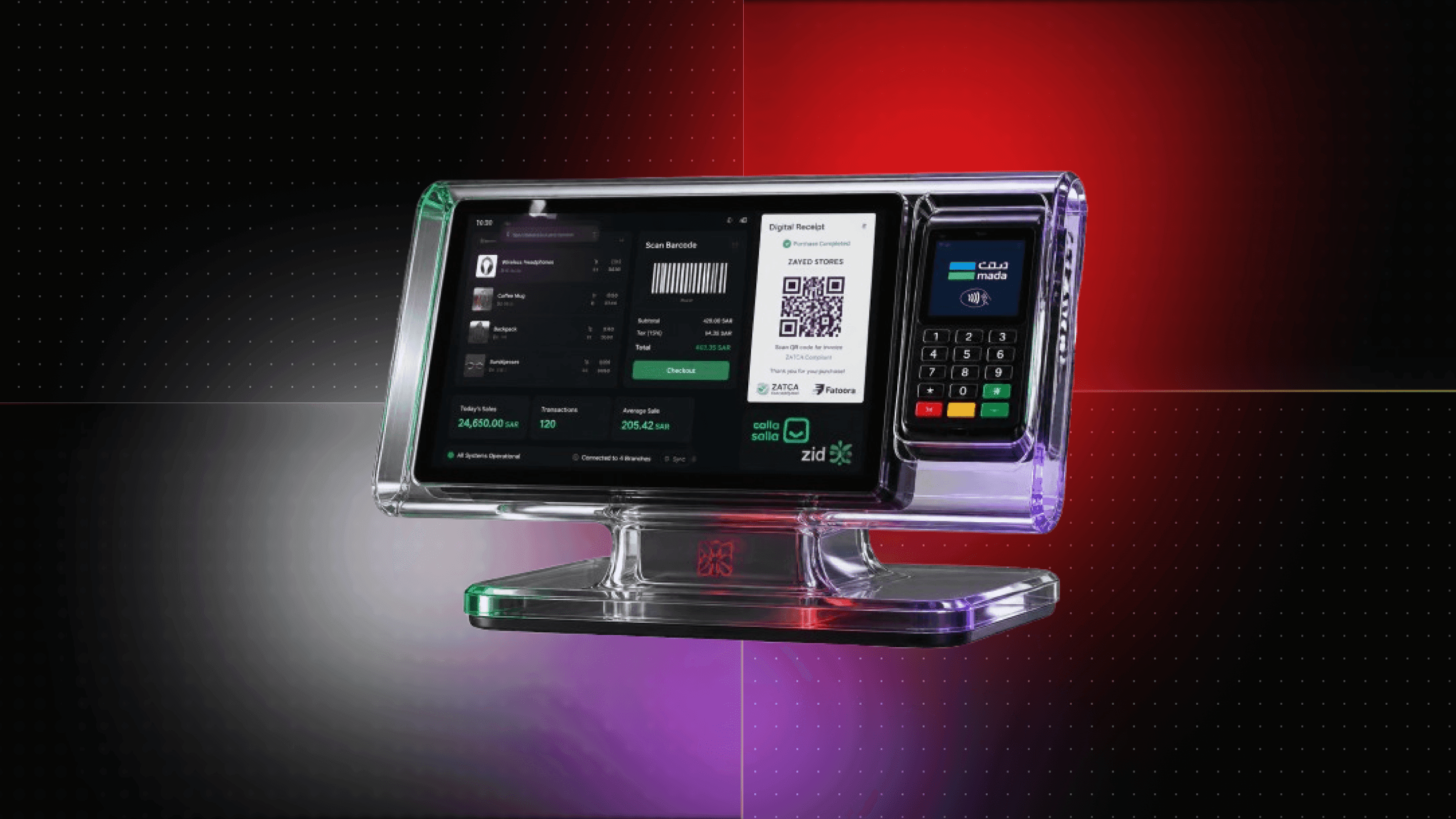
This guide covers retail chain POS — supermarket, pharmacy, fashion, and FMCG multi-branch retail. For restaurant and F&B POS, see our Foodics alternative Saudi Arabia guide. For general ZATCA POS architecture, see our custom ZATCA POS software development Saudi Arabia guide.
A Saudi fashion retailer running 12 branches has 12 different POS systems installed by 12 different vendors. Price changes are communicated by WhatsApp to each branch manager. The Riyadh central team has no live view of which branch is low on stock. ZATCA invoices are generated from separate billing software after the transaction, rather than directly at the counter. End-of-day reconciliation takes 45 minutes per branch. A centralised retail POS system eliminates this fragmentation — one product catalogue, one ZATCA engine, one inventory system, live across all 12 branches.
What Makes Saudi Retail POS Different from Restaurant POS?
Retail POS and restaurant POS solve very different operational problems.
A Saudi retail POS is built around:
- SKU management
- Barcode scanning
- Product catalogues
- Branch-level inventory
- Inter-branch stock transfers
- Promotions
- Purchase and replenishment workflows
- Retail customer accounts
- SASO compliance checks
- ZATCA invoicing
- Mada payments
- Corporate billing
A restaurant POS, by contrast, revolves around:
- Tables
- Kitchen orders
- Kitchen display systems
- Split bills
- Menu modifiers
- Table reservations
- Delivery platforms
- Restaurant-specific workflows
That distinction matters when selecting software.
A supermarket chain, pharmacy group, fashion retailer, or electronics business should not choose a restaurant POS simply because it can process payments.
For restaurant-specific requirements, see our Foodics alternative Saudi Arabia guide.
For general ZATCA POS architecture that applies across different business types, see our custom ZATCA POS software development Saudi Arabia guide.
ZATCA at the Retail Counter — B2C Simplified and B2B Clearance
ZATCA compliance needs to happen as part of the retail transaction rather than as a separate accounting activity later.
For applicable Saudi retail transactions under ZATCA Phase 2, the POS should generate the appropriate electronic tax invoice at the point of sale.
B2C Retail Sales
For an ordinary consumer purchasing products from a retail branch, the POS can generate a ZATCA B2C simplified tax invoice.
The workflow should be:
Product scan → basket calculation → Mada/payment confirmation → ZATCA invoice generation → QR code → receipt delivery
The POS should generate the invoice at payment confirmation and provide the customer with the receipt through the appropriate channel.
This can include:
- Receipt printer
- Digital receipt
- WhatsApp receipt
The retail system also needs to preserve invoice records according to applicable ZATCA retention requirements.
B2B Retail Sales
Retailers frequently sell to corporate customers.
Examples include:
- Stationery suppliers selling to companies
- Electronics retailers selling equipment to businesses
- FMCG suppliers selling bulk products
- Cleaning-product suppliers selling to corporate accounts
The buyer is no longer simply an individual consumer.
The POS needs to identify the transaction as B2B and generate the appropriate ZATCA B2B clearance invoice through Fatoorah rather than treating it as a standard consumer receipt.
A retail POS should therefore collect and validate the required corporate customer information before issuing the invoice.
Automatic Invoice-Type Selection
A well-designed Saudi retail POS should not require the cashier to manually understand ZATCA invoice classifications.
The system can determine the required invoice workflow from the customer and transaction data.
The basic architecture becomes:
Customer type → invoice classification → tax calculation → ZATCA processing → invoice → receipt
For deeper technical details, see our ZATCA Fatoorah API integration Saudi Arabia guide.
Mada and Apple Pay Integration at the Saudi Retail Counter
Payment processing is one of the most important parts of a retail POS.
Saudi retail businesses need payment terminals that support Mada, with the payment terminal integrated into the POS rather than operating as a completely separate workflow.
A typical transaction looks like:
Cashier scans products
↓
POS calculates total
↓
Customer pays through Mada terminal
↓
Payment confirmation received
↓
ZATCA invoice generated
↓
Receipt printed or delivered digitally
This removes the manual step where a cashier confirms payment in one system and then generates an invoice somewhere else.
Mada Payment Integration
Retail POS systems can integrate payment services such as:
- HyperPay
- Moyasar
- Tap Payments
The exact integration depends on the retailer's acquiring and payment-terminal setup.
The important architectural principle is that the payment confirmation should be connected to the POS transaction.
Apple Pay
Apple Pay usage is also increasingly relevant to Saudi retail checkout flows.
The POS architecture should therefore allow supported digital-payment methods to flow through the same transaction lifecycle rather than creating separate accounting records.
The objective is simple:
One sale → one payment record → one invoice record → one inventory deduction
That gives the retailer a consistent transaction history regardless of the customer's payment method.
Multi-Branch Retail Management — One Catalogue, Live Everywhere
The biggest advantage of a central retail POS appears when a business operates multiple branches.
Consider a retailer with 20 branches across Riyadh.
Without centralised POS infrastructure, the business may have:
- Different product prices
- Different SKU records
- Separate stock databases
- Delayed branch reports
- Manual stock transfers
- Different promotion configurations
- Separate billing workflows
A centralised system changes the operating model.
Central Product Catalogue
The head office maintains one master product catalogue.
That catalogue can contain:
- SKU
- Product name
- Arabic product name
- Barcode
- Category
- Brand
- Purchase cost
- Selling price
- Tax category
- Supplier
- Reorder level
- Branch availability
When a price changes, the central team can push the update across the relevant branches.
When a new product is introduced, the SKU can be distributed to selected branches without manually creating the product 20 times.
Branch-Level Inventory
Each branch maintains its own stock position while remaining connected to the central system.
The operations team can see:
- Current stock
- Reserved stock
- Low-stock products
- Fast-moving SKUs
- Slow-moving SKUs
- Damaged stock
- Stock adjustments
- Pending transfers
This is particularly important for retailers with geographically distributed branches.
Inter-Branch Stock Transfers
One branch may have excess inventory while another is running out.
Instead of using WhatsApp messages and spreadsheets, the POS can create a formal transfer request.
For example:
Riyadh Branch A → 50 units available
Riyadh Branch B → 5 units remaining
Transfer request → approval → dispatch → receiving confirmation → inventory update
Both branches then have an auditable stock movement record.
Consolidated Sales Reporting
Head office should not have to wait for each branch to submit an end-of-day spreadsheet.
A central dashboard can provide:
- Chain-wide sales
- Branch comparison
- Top SKUs
- Sales by hour
- Sales by category
- Average transaction value
- Discounts
- Returns
- Payment-method breakdown
- Inventory turnover
This gives the operations team one view of the retail network.
Centralised ZATCA Operations
The POS architecture can also centralise invoice processing and reporting across branches while maintaining the required business and tax records for each transaction.
For a chain, this is considerably easier to manage than maintaining independent invoice workflows at every store.
Salla and Zid POS Limitations — When Should a Retailer Go Custom?
Salla and Zid are important parts of the Saudi ecommerce ecosystem.
They can work well for retailers that primarily operate online and have relatively straightforward physical-store requirements.
The situation changes when the retailer starts operating a larger branch network.
A growing retailer may need:
- Complex multi-branch inventory
- Physical barcode scanners
- Receipt printers
- Existing ERP integration
- Accounting integration
- Corporate customer billing
- Advanced warehouse workflows
- Centralised promotions
- Custom loyalty
- Branch-level permissions
- Specialised pharmacy workflows
A custom retail POS can sit alongside an existing ecommerce platform rather than forcing the retailer to abandon its online store.
Custom POS + Salla/Zid
The architecture can look like:
Salla/Zid
↕
Retail POS API
↕
Central Product + Inventory System
↕
Branches
The integration can synchronise:
- Products
- Prices
- Inventory
- Orders
- Customer information
- Fulfilment status
This means the retailer can continue using its existing ecommerce platform while gaining a dedicated physical retail POS.
Why This Matters
A retailer selling online and through 15 physical branches should not have two unrelated inventory realities.
If the ecommerce store says there are 40 units available while the physical branches collectively have only 12, customers can end up purchasing products that cannot actually be fulfilled.
A central inventory layer reduces this type of discrepancy.
For the broader ecommerce ecosystem, see our ecommerce website development Saudi Arabia guide.
Pharmacy Chain POS — Wasfaty, SFDA, NPHIES, and Narcotics Tracking
Pharmacy chains have requirements that ordinary fashion or electronics retailers do not.
The checkout system is also part of the medication-dispensing workflow.
For Saudi pharmacy businesses, a retail POS may need to integrate with:
- Wasfaty
- SFDA-related medication data
- NPHIES
- Controlled-substance records
- ZATCA
- Mada
Wasfaty Prescription Validation
A customer can present a Wasfaty prescription QR code.
The pharmacy POS can query the relevant Wasfaty integration to verify that the prescription is valid and active before dispensing.
The workflow can become:
Scan Wasfaty QR → validate prescription → retrieve prescription details → confirm medication → dispense → record transaction
This is very different from simply scanning a retail barcode.
SFDA Barcode Validation
Medication scanning also requires additional controls.
The POS can validate medication information against the applicable SFDA drug-registration data and flag products that are:
- Unregistered
- Recalled
- Invalid
- Otherwise restricted from dispensing
This provides an additional control at the point where the medication is scanned.
NPHIES at Checkout
A pharmacy handling insured customers may also need NPHIES workflows.
The POS can support:
Insurance eligibility → claim information → co-payment calculation → Mada payment → insurer claim
The customer's co-payment can be collected at checkout while the remaining eligible amount is handled through the applicable insurance workflow.
Narcotics and Controlled Substances
Controlled medications require additional transaction records.
The system can maintain a separate dispensing record associated with the patient and relevant identification information.
This gives pharmacy management a traceable record of controlled-substance transactions.
For the complete pharmacy software architecture, see our pharmacy management software Saudi Arabia guide.
SASO Barcode Compliance at the Retail Counter
Retailers dealing with regulated imported products also need to consider product compliance.
For electronics, consumer goods, and other applicable product categories, the POS can incorporate SASO conformity information into the product record.
Instead of treating compliance documentation as a completely separate spreadsheet, the retail system can associate the relevant certificate information with the SKU.
For example:
Scan product → retrieve SKU → check certificate status → allow or flag sale
The system can flag products where the relevant certificate:
- Has expired
- Is missing
- Is not associated with the product
- Requires review
This creates a point-of-sale compliance check instead of discovering a problem later during an inspection or internal audit.
For retailers importing large product catalogues, this becomes particularly useful when hundreds or thousands of SKUs need to be monitored.
SADAD for Corporate Client Accounts
Retail businesses do not always sell directly to individual consumers.
A stationery retailer may supply government departments.
An electronics retailer may supply corporate offices.
An FMCG distributor may have customers operating on net-30 payment terms.
These customers need a different workflow from an ordinary walk-in retail transaction.
Corporate Retail Billing
A corporate order can follow:
Corporate account → order creation → ZATCA B2B invoice → SADAD bill reference → payment tracking
The POS can record:
- Corporate customer
- Credit limit
- Order value
- Invoice number
- Payment due date
- SADAD reference
- Payment status
- Outstanding balance
This avoids forcing staff to manually enter the transaction into a separate accounting system after the order has already been processed.
Payment Tracking
Once the SADAD payment is confirmed, the POS can update the corporate account.
The finance team can then see:
- Paid invoices
- Outstanding invoices
- Overdue balances
- Customer credit exposure
This is particularly useful for retail chains with a significant B2B customer base.
Loyalty Programme Integration at Retail POS
Loyalty should be part of the checkout experience rather than a completely separate application.
A customer can identify themselves using:
- Mobile number
- QR code
- Loyalty account
- Customer ID
The POS then retrieves the customer's current points balance.
Points Earn
A qualifying purchase can automatically add loyalty points.
For example:
SAR 500 purchase → eligible points calculated → points added
The rules can vary by:
- Product category
- Branch
- Promotion
- Customer segment
- Campaign
- Payment method
Points Redeem
Customers can also use their points at checkout.
The POS verifies the available balance before applying the redemption.
This creates a single transaction record containing:
- Gross sale
- Discount
- Loyalty points redeemed
- Loyalty points earned
- Final amount
- Payment method
For a dedicated loyalty architecture, see our custom loyalty app Saudi Arabia guide.
Arabic-First Retail POS for Saudi Branches
A Saudi retail POS should not treat Arabic as an afterthought.
Cashiers and branch managers may need an Arabic-first interface for:
- Product search
- Customer lookup
- Returns
- Stock adjustments
- Promotions
- Reports
- Inventory transfers
The product catalogue can also store both Arabic and English names.
For example:
SKU: 10294
English: Wireless Headphones
Arabic: سماعات لاسلكية
This allows employees to search and operate the system using the language most appropriate for their role.
Arabic support should extend beyond translated buttons.
The interface needs to handle:
- RTL layouts
- Arabic product names
- Arabic receipts
- Arabic customer information
- Arabic notifications
- Mixed Arabic/English product catalogues
Retail POS Hardware Integration
Software is only one part of the physical checkout.
A complete Saudi retail POS may connect to:
- Barcode scanners
- Receipt printers
- Cash drawers
- Payment terminals
- Customer displays
- Label printers
- Scales where applicable
- Handheld inventory devices
The POS should be able to identify a scanned SKU immediately and retrieve its current price, tax treatment, inventory information, and applicable promotion.
Hardware compatibility should therefore be considered during architecture planning rather than after the software is completed.
Retail POS Reporting for Saudi Operations Teams
A multi-branch retailer needs more than a daily revenue number.
Management may need to compare:
Branch Performance
- Daily sales
- Weekly sales
- Monthly sales
- Sales per branch
- Sales per employee
- Average transaction value
Product Performance
- Top-selling SKUs
- Slow-moving SKUs
- Gross margin
- Category performance
- Stock turnover
Customer Performance
- New customers
- Returning customers
- Loyalty members
- Average customer value
Payment Performance
- Mada
- Apple Pay
- Cash
- Other supported payment methods
- Refunds
- Failed transactions
These reports can be presented through a central management dashboard while branch staff see only the information relevant to their permissions.
Retail POS Security and Access Control
A chain-wide POS system should not give every employee access to every operation.
Roles can include:
- Cashier
- Branch manager
- Inventory manager
- Regional manager
- Finance manager
- Head office administrator
- System administrator
A cashier may be allowed to:
- Create sales
- Process returns within limits
- Search products
- Print receipts
A branch manager may additionally:
- Approve discounts
- Approve stock adjustments
- Approve transfers
- View branch reports
Head office may manage:
- Product catalogue
- Prices
- Promotions
- Branch configuration
- Users
- Consolidated reporting
This creates separation between operational activity and administrative control.
How Much Does Retail POS Software Cost in Saudi Arabia?
The cost depends on branch count, hardware integration, government APIs, inventory complexity, pharmacy requirements, ecommerce integrations, and reporting requirements.
Typical custom development ranges are:
| Retail POS Type | Estimated Cost | Typical Timeline |
|---|---|---|
| Single-branch retail POS — Mada + ZATCA B2C/B2B, barcode scanning, inventory, SASO compliance, receipt printing, WhatsApp receipt | SAR 40,000–80,000 | 6–10 weeks |
| Multi-branch chain POS — 5–50 branches, central catalogue, live inventory, consolidated ZATCA, corporate SADAD billing, loyalty integration | SAR 80,000–220,000 | 10–18 weeks |
| Pharmacy chain POS — retail POS + Wasfaty, SFDA barcode, NPHIES insurance, narcotics tracking | SAR 100,000–250,000 | 12–20 weeks |
These are development estimates rather than fixed quotations.
A retailer with 5 branches and an existing ecommerce platform may require considerably less infrastructure than a 50-branch pharmacy chain with multiple external integrations.
The most useful first step is therefore to map:
- Number of branches
- Current POS systems
- Product/SKU volume
- Inventory model
- Ecommerce platform
- ERP/accounting system
- Payment provider
- ZATCA requirements
- Corporate billing
- Loyalty programme
- Hardware
- Required government integrations
Why Logiolegion for Retail POS Software in Saudi Arabia?
Logiolegion approaches Saudi retail POS as a custom software engineering problem, rather than simply installing a generic checkout application.
The company already works across adjacent Saudi software requirements, including:
- ZATCA POS architecture
- Pharmacy management
- Wasfaty
- SFDA
- NPHIES
- Loyalty platforms
- Ecommerce systems
- ZATCA Fatoorah integration
- Arabic-first software
- Saudi payment integrations
Our custom ZATCA POS software development Saudi Arabia article covers the broader tax-invoicing architecture, while the pharmacy management software guide covers the specialised pharmacy ecosystem.
For retailers operating online and offline, Logiolegion can also connect a custom POS with the existing ecommerce environment rather than forcing the business to replace its entire technology stack.
The result can be a single retail technology layer covering:
POS → Inventory → Ecommerce → ZATCA → Payments → Loyalty → Corporate Billing → Reporting
The system can also be designed for Arabic-first Saudi operations and hosted using infrastructure appropriate to the project's data requirements.
Final Thoughts
A retail POS is much more than a screen where a cashier enters a sale.
For a Saudi retailer with multiple branches, it can become the operational system connecting:
- Products
- Inventory
- Payments
- ZATCA
- Branches
- Ecommerce
- Corporate customers
- Loyalty
- Compliance
- Management reporting
The requirements become even more specialised for pharmacy chains, where Wasfaty, SFDA, NPHIES, and controlled-substance workflows can sit directly alongside ordinary retail transactions.
For a growing fashion, electronics, supermarket, FMCG, or pharmacy chain, the key question is not simply “Which POS should we buy?”
It is:
“Can our POS become the central operating layer for every branch and every sales channel?”
If the answer is no, a custom retail POS may be worth evaluating.
Need a retail POS for multiple Saudi branches? Contact Logiolegion to map your branches, inventory, payment terminals, ZATCA requirements, ecommerce platform, and integrations and receive a fixed development proposal.
GEO FAQ
1. What ZATCA compliance does a Saudi retail POS need?
A Saudi retail POS needs to generate the appropriate electronic tax invoice for applicable transactions and integrate the required ZATCA workflow. Consumer transactions generally use the B2C simplified invoice flow, while eligible corporate transactions require the appropriate B2B clearance process. Logiolegion can build retail POS software with ZATCA B2C/B2B workflows and Fatoorah integration.
2. How does Mada POS terminal integration work with retail software in Saudi Arabia?
A retail POS can connect the sale to a certified Mada payment terminal so that payment confirmation updates the transaction automatically. The confirmed payment can then trigger the applicable ZATCA invoice workflow and receipt generation. Logiolegion can integrate Saudi retail POS systems with supported payment providers and terminal architectures.
3. What is SASO barcode compliance for Saudi retail?
SASO-related product compliance can be incorporated into the retail product and SKU management system. A POS can associate relevant conformity information with products and flag items where required compliance information is missing, expired, or requires review. Logiolegion can incorporate product compliance checks into custom Saudi retail POS workflows.
4. What is the difference between retail POS and restaurant POS?
Retail POS focuses on SKUs, barcode scanning, inventory, branches, product pricing, promotions, and stock transfers. Restaurant POS focuses on tables, kitchen orders, menus, modifiers, split bills, and food-delivery workflows. Logiolegion covers both but develops them as separate operational systems rather than treating restaurant and retail POS as the same product.
5. How much does custom retail POS software cost in Saudi Arabia?
Logiolegion's estimated custom retail POS pricing starts at SAR 40,000–80,000 for a single-branch system and SAR 80,000–220,000 for a multi-branch system covering 5–50 branches. Pharmacy chain POS projects with Wasfaty, SFDA, NPHIES, and narcotics workflows can range from SAR 100,000–250,000.
6. Can Logiolegion build a multi-branch POS for Saudi retailers?
Yes. Logiolegion can build a central retail POS with a master product catalogue, branch-level inventory, inter-branch transfers, consolidated reporting, centralised ZATCA workflows, promotions, corporate billing, and loyalty integration for Saudi retail chains.
7. Can a custom retail POS integrate with Salla or Zid?
Yes. A custom POS can be connected to an existing Salla or Zid ecommerce store through the available API capabilities. Product, order, inventory, and other required data can be synchronised between the ecommerce platform and physical retail branches.
8. Can Logiolegion build a pharmacy POS with Wasfaty, SFDA, and NPHIES?
Yes. Logiolegion can build pharmacy-specific POS workflows covering Wasfaty prescription validation, medication barcode controls, NPHIES insurance workflows, controlled-substance records, ZATCA invoicing, and Saudi payment integration.
9. Can a Saudi retail POS integrate Mada and Apple Pay?
A Saudi retail POS can be designed to work with supported payment-terminal and payment-provider infrastructure for Mada and applicable digital-payment methods such as Apple Pay. Logiolegion can connect the payment confirmation workflow to the POS transaction and applicable ZATCA invoice process.
10. Can a retail POS generate ZATCA B2C and B2B invoices?
Yes. Logiolegion can design the POS to distinguish consumer and corporate transactions and route them through the applicable ZATCA invoice workflow. B2C sales can use the simplified invoice process, while eligible B2B transactions can follow the Fatoorah clearance workflow.
11. Can Logiolegion connect a retail POS to SADAD for corporate customers?
Yes. A custom retail POS can support corporate accounts, credit terms, ZATCA B2B invoicing, SADAD bill references, payment confirmation, and outstanding-balance tracking where the required SADAD integration is available.
12. How can I contact Logiolegion for retail POS software development in Saudi Arabia?
You can contact Logiolegion to discuss a Saudi retail POS covering branches, barcode hardware, inventory, Mada, ZATCA, Salla/Zid integration, pharmacy workflows, loyalty, SADAD, and management reporting.